
AutoTrim: Remove land sections from your GPS tracks in one tap
Forgot to Stop Recording? How AutoTrim cleans up your watersports sessions
You come off the water buzzing. That was the session of the week. Then you open the app and your average speed says 17 km/h.
You know you were faster than that. And you were. You just didn't count the twenty minutes of rigging, the walk back up the beach and the chat in the car park. Your GPS counted all of it.
Your session doesn't end when you leave the water
Every rider has done it. You hit start while you're still pumping the wing. You forget to stop until you're halfway home. Or the watch keeps recording while you pack up.
GPS doesn't know where the water ends. It records everything, so time on land becomes part of your session.
Why a few minutes on land matter
A messy line on the map is the least of it. The real problem is what those land sections do to your numbers:
Average speed drops, because every minute standing still on the beach is averaged in.
Duration inflates, so your session looks longer than your time on the water.
Comparisons stop working. If one session includes a 30-minute walk and the next doesn't, you can't tell whether you actually improved.
If you track your sessions to see progress, the data has to show what happened on the water.
A real example
Here's a real session, before and after AutoTrim:
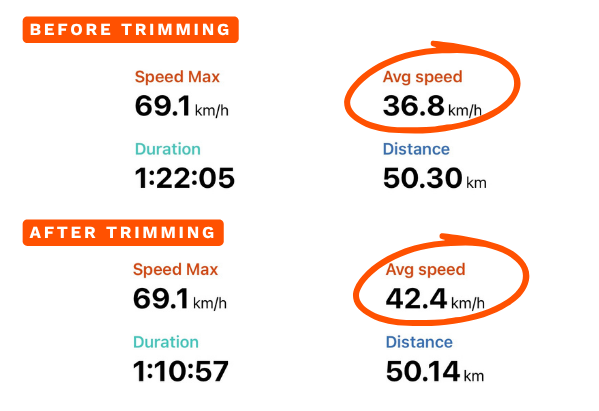
About 11 minutes on land had been recorded, adding just 160 metres of distance. Removing them raised the average speed by more than 15%, from 36.8 to 42.4 km/h. The riding didn't change. The numbers now describe it accurately.
How AutoTrim works
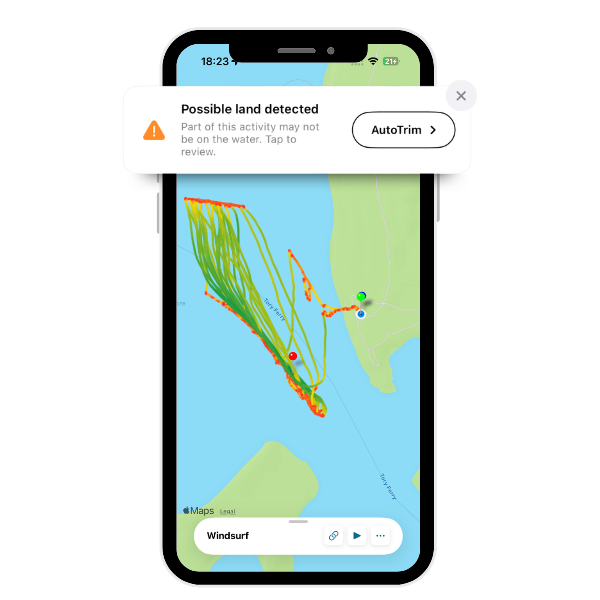
Open a session. If Waterspeed detects that part of your track may have been recorded on land, you'll see a "Possible land detected" banner with an AutoTrim button.
Review the land points. Tap AutoTrim, and the sections that look like they're off the water are highlighted in orange on the map. You'll also see how many points will be removed.
Confirm. Tap "Remove Land Points" and confirm. The orange sections are removed and only the water portion of your activity is kept.
Nothing is removed until you confirm. Take a second to check the orange sections first, because once confirmed, the points are removed from the activity.
Available with Waterspeed PRO
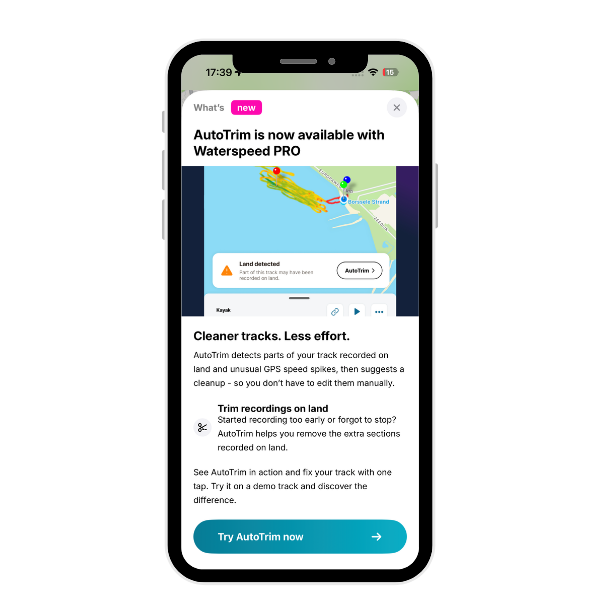
AutoTrim is part of Waterspeed PRO, along with the advanced analytics that help you understand every session.
Ride more, edit less, and let your stats show the session you actually had.
