
How to Track Tacks & Gybes in Waterspeed
If you’ve ever finished a session feeling fast, but unsure where you gained or lost speed, tacks and gybes are usually the answer.
Whether you sail, windsurf, or wingfoil, direction changes are where technique, timing, and decision-making show up most clearly. They’re also where most performance leaks happen — often without you noticing.
That’s exactly why tracking tacks and gybes matters.
TLDR/Quick Answers
Waterspeed automatically tracks tacks and gybes using GPS data.
No manual tagging or button presses are required.
Tracking works for sailing, windsurfing, and wingfoiling.
Users can review speed loss and consistency after each turn.
What are tacks and gybes (quick refresher)
Tack: Turning the bow through the wind (upwind turn)
Gybe: Turning the stern through the wind (downwind turn)
They’re not just maneuvers — they’re performance moments:
Speed loss vs speed retention
Entry angle and exit angle
Consistency over a session
Fatigue effects late in a run
On the water, they happen fast. In data, they tell a much clearer story.
Why tracking tacks & gybes changes how you train
Most sailors judge a session by:
Top speed
Distance
How it felt
But two sessions with the same top speed can be completely different performances.
Tracking tacks and gybes lets you answer questions like:
Where am I losing speed?
Am I consistent on both sides?
Do my turns improve as conditions settle — or degrade with fatigue?
Which lines actually work best at this spot?
This is where progress stops being vague — and starts being measurable.
How Waterspeed detects tacks & gybes
Waterspeed uses GPS direction, speed, and heading changes to automatically identify when you change course through the wind.
That means:
No manual tagging
No button presses mid-session
No guessing afterward
Each tack or gybe is detected as part of your natural movement on the water.
What you’ll see after your session
Once your session syncs, you can review:
1. Your track, visualized clearly
See every leg, every turn, and how clean (or messy) your lines really were.
2. Speed before, during, and after turns
This is the gold. You’ll spot:
Smooth exits
Overcooked entries
Turns where you stalled without realizing it
3. Patterns across the session
Compare early vs late tacks, port vs starboard, or one spot vs another.
Over time, this becomes your personal playbook.
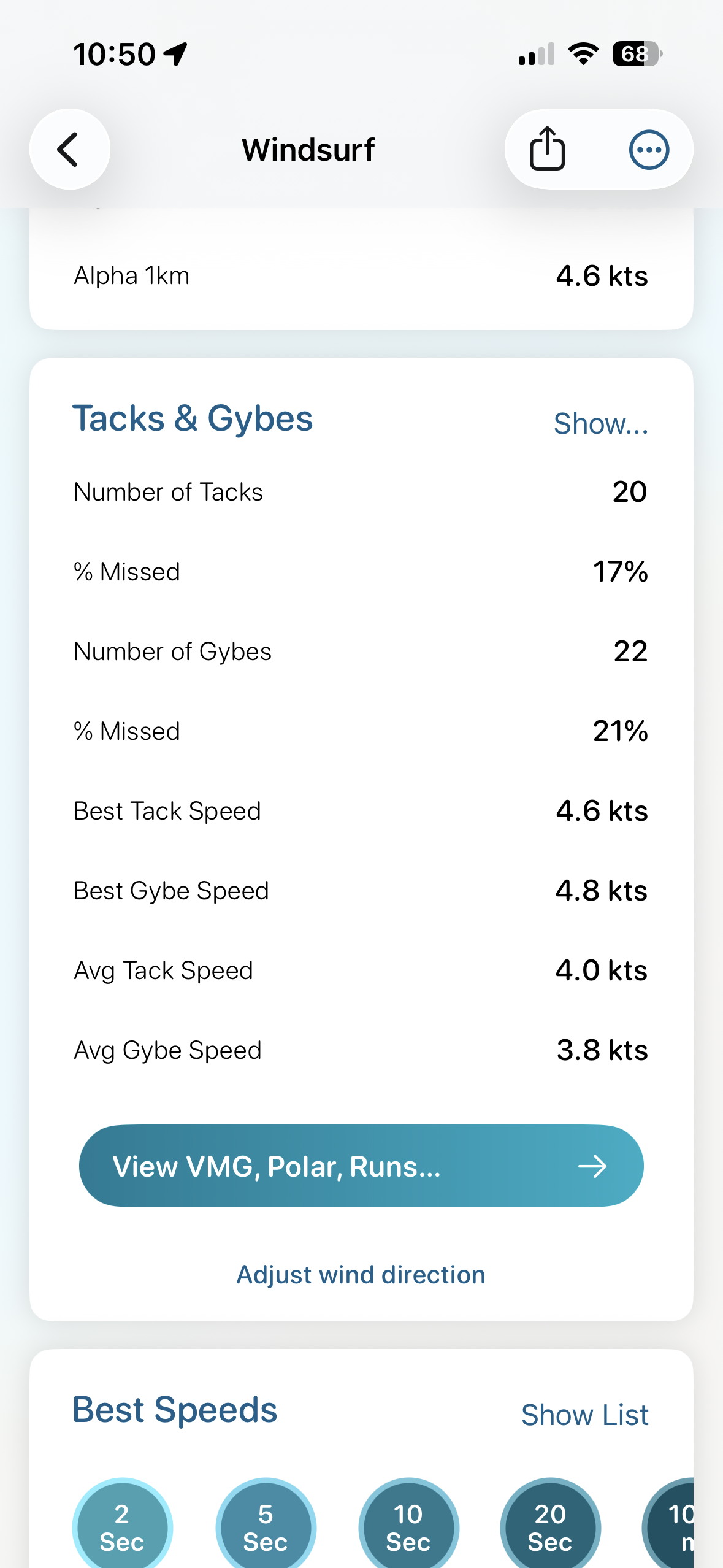
Activity Details View in Waterspeed
How to actually use this data (without overthinking it)
You don’t need to analyze everything. Start simple:
Pick one thing per session
“This time I’ll focus on exiting gybes cleanly.”
Compare just two or three turns
Look at speed loss, not perfection.
Watch trends, not outliers
One bad gybe happens. Ten bad ones tell you something.
Waterspeed isn’t about chasing numbers — it’s about learning faster.
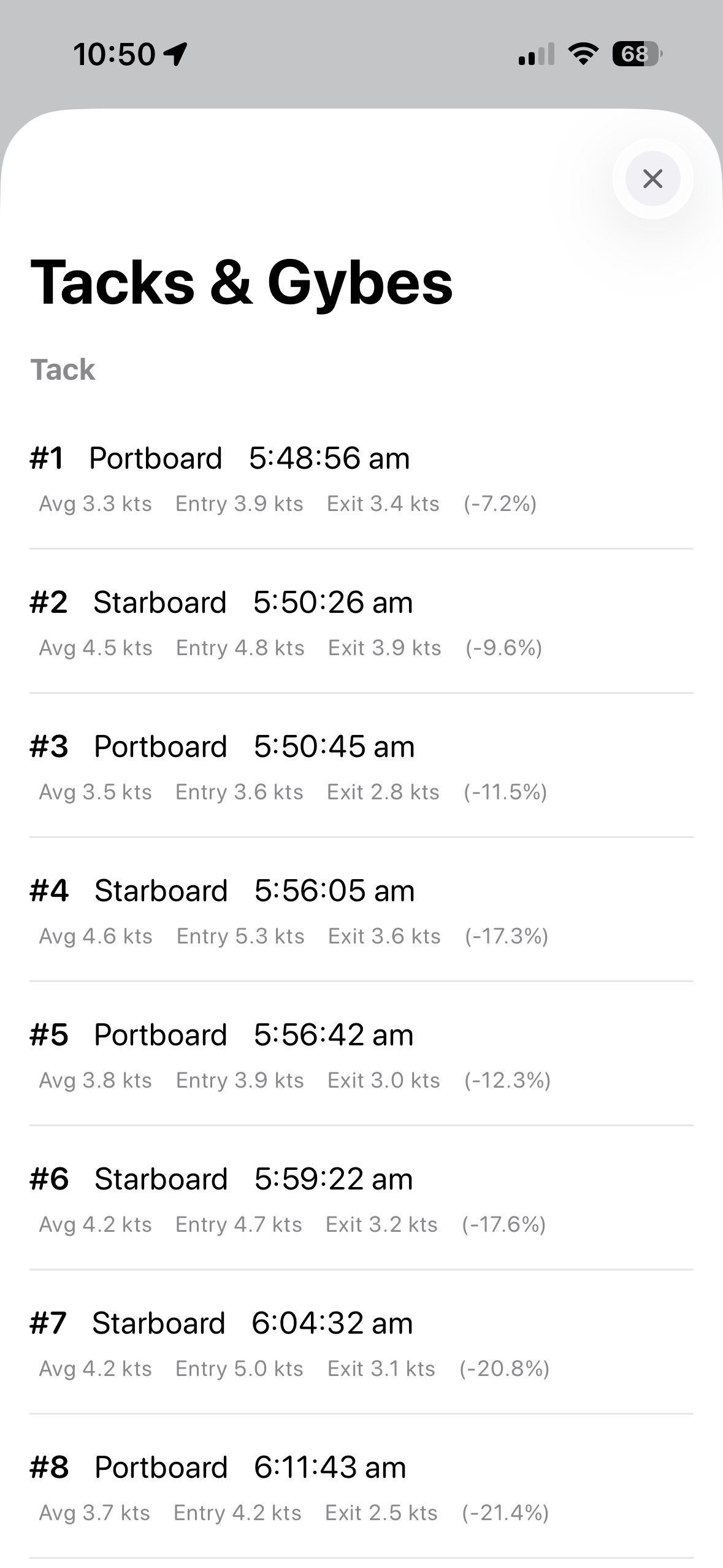
List View in Waterspeed
Who this is for
Tracking tacks & gybes is especially useful if you:
Sail or race regularly
Windsurf or wingfoil in variable conditions
Train solo and want objective feedback
Want to improve without turning every session into “serious training”
If you care about how you move on the water — this data matters.
Final thoughts
The biggest performance gains often don’t come from going faster in a straight line. They come from losing less speed where it counts.
Your tacks and gybes already tell that story. Waterspeed just helps you see it.
