What's the best spot near me? How to find it at home or on a trip
Explore+ shows where riders actually go on the water: real sessions, sport filters, wind and Local Experts you can contact, near home or on a water sports trip.
By Mario Iannotta · Updated
Read in: Italiano · Français · Español · Deutsch · Nederlands · Português

The best spot near you is the one where riders of your sport are actually going in the conditions you’ll get, and that you can ride at your level. To find it, look at recent sessions on the map in Waterspeed’s Explore+, check the usual wind and busiest days, and ask a Local Expert about access and hazards. Which spot that turns out to be depends on where you start from:
- If you’re local, you often know where to go, but conditions change, time is limited and you want to mix things up.
- If you’re newer to the sport, you may not know what’s safe or which spots match your level, and asking around can feel intimidating.
- If you’re travelling, you don’t know the unwritten rules or where people actually go, and you don’t want to waste a rare good session.
On a trip the stakes are higher: a week in Tarifa, a few days on Lake Garda, the Fuerteventura trip you’ve been talking about since January. Trips usually go wrong on the details: the gear you packed, conditions you didn’t expect, or a spot that looks great on Google and turns out flat, crowded or only good for a discipline you don’t ride.
Explore+ finds water spots from real activity, local context and what the community knows.
Step 1: find the spot
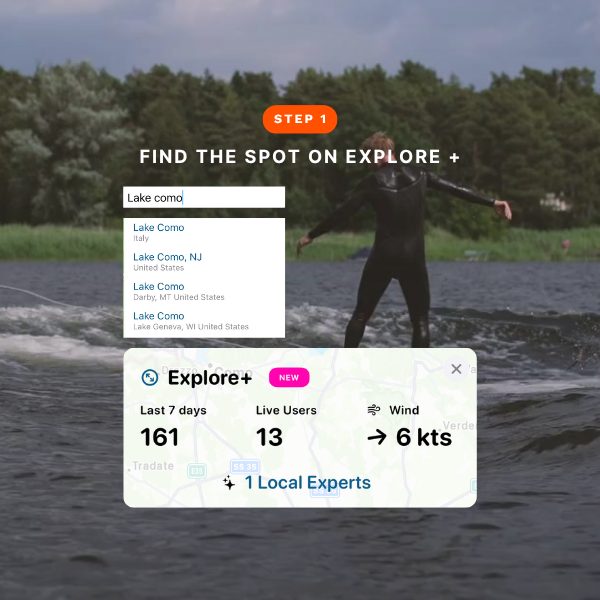
Open Explore+ and search any destination: a lake, a coastline, a bay, a town. The map fills with real activity from the Waterspeed community, sessions logged by windsurfers, wingfoilers, kiters, paddlers and sailors who have been there recently.
You see what riders are doing on the water now, which a “top spots” list written years ago can’t tell you: how many sessions in the last seven days, which sports are most active, whether the spot is busy or empty. A spot with 40 sessions last week tells a very different story from one with three.
Filter by sport (wingfoiling, sailing, SUP, kayaking and more), because each one shows different patterns and different places.
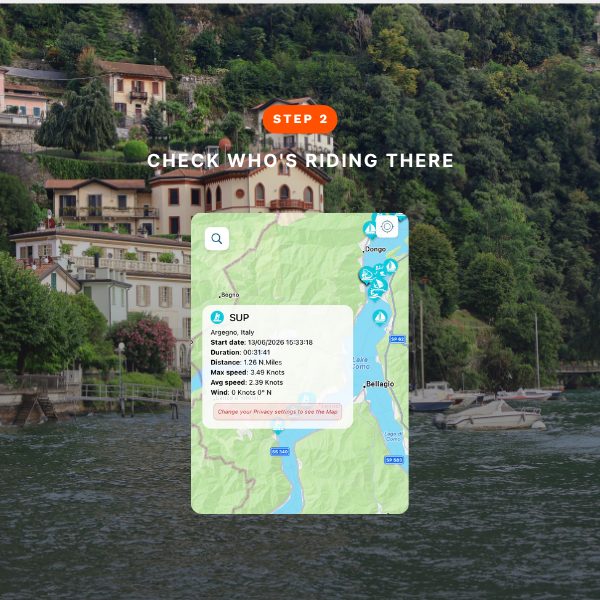
Step 2: who’s riding there, and in what conditions?
The summary panel shows the most common sport at that spot, the average wind, the busiest days of the week and the top speeds recorded nearby, on top of the session count. If you’re a windsurfer planning around wind, knowing a spot averages 18 knots on weekday afternoons is the kind of thing you’d otherwise dig out of forum threads.
It helps with packing too. Steady 15 to 20 knots with short chop calls for a different setup than a lake with thermal afternoon breezes. Look at the data before you travel and you’ll bring the right quiver instead of the one you always bring.
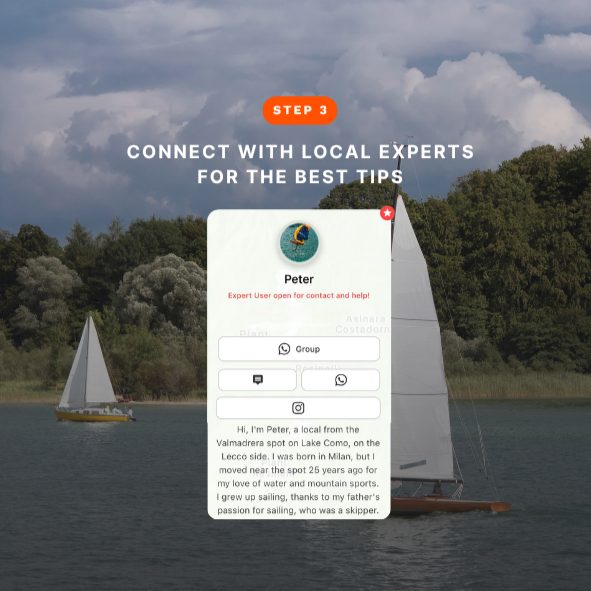
Step 3: what is a Local Expert, and how do you reach one?
Local Experts are hand-selected, experienced riders, paddlers and sailors who ride a spot regularly and are happy to help. You can contact them directly from Explore+ by WhatsApp, Instagram, email or phone.
They know the things a map can’t show you: which side of the bay works in a northerly, where to park a van with a trailer, whether the rental school nearby is worth it. The map marks which spots have Local Experts, and from there you open a profile and get in touch. A two-minute message about conditions, access or safety can save you a wasted day.
Ride a spot regularly yourself? Become a Local Expert.
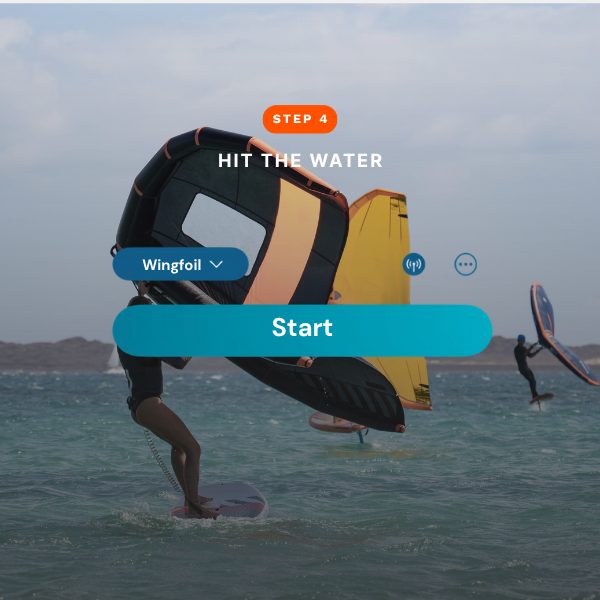
Step 4: hit the water, and track it
Once you’re there, Waterspeed records your session (speed, distance, duration and GPS route) so you can focus on riding. Trip sessions are often the ones you most want to remember: a personal best on a new spot, a long downwind run on a lake you’d never sailed. Keep them, compare them with your home sessions, and see what the change of scenery did for your riding.
Where do you find Explore+ in the app?
It depends on your device:
- iOS: go to the Record tab; Explore+ shows on your map.
- Android: go to the Explore+ tab.
- Web: open waterspeedapp.web.app/around-me.